- New
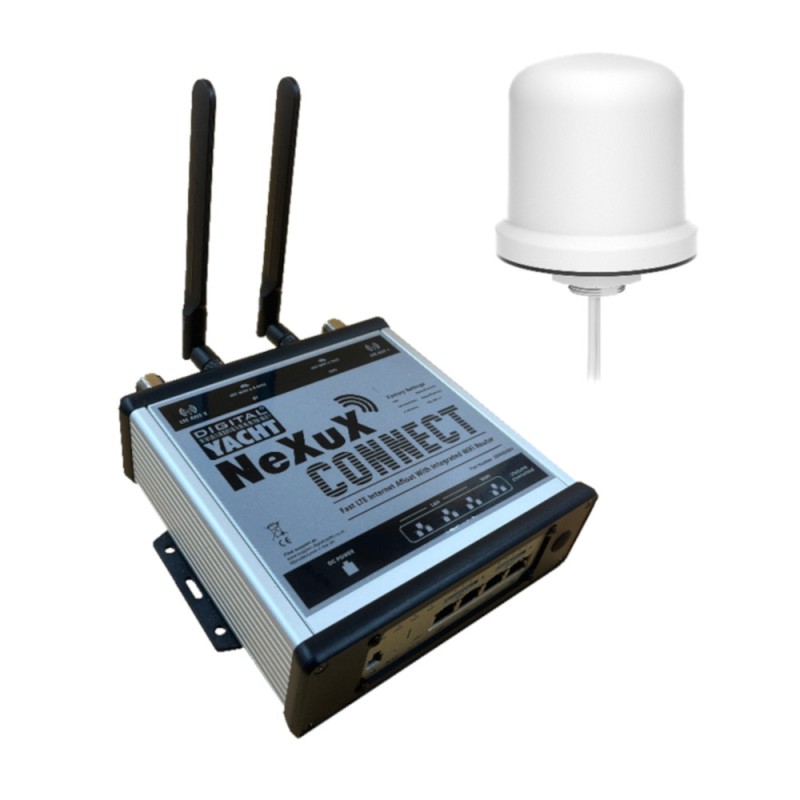


NeXuX Connect brings internet access on board with LTE/4G MIMO technology for range and speed. For easy installation it ships as a complete package with a compact dome antenna and 7m cables.

Payments processed by PayPal or Takepayments are 100% secure.

Delivery via Royal Mail or APC Courier
 Return policy
We will accept goods for return up to 14 days from our shipment date. See our returns page
NeXuX Connect brings internet access on board with LTE/4G MIMO technology for range and speed. For easy installation it ships as a complete package with a compact dome antenna and 7m cables.
Using MIMO technology and the external wide band LTE antenna NeXuX Connect offers fast connectivity at up to 300 MBs (network dependent). It has a built in dual band wifi router supporting multiple connections dual SIM slots (with auto fail over if required) and built in GPS (for anchor alarm & tracking applications).
The external antenna makes coastal internet readily achievable and internet sharing on board for everyone. Typical ranges are up to 12-15nm from the coast so it doesn’t have the range of the dual antenna 4G Xtream solution but is attractively priced easy to install and may suit many small boats looking for on board connectivity or work from boat solutions.
The NeXuX Connect features dual band (2.4 & 5GHz) wireless connections so users on board simply search for the secure WiFi point and connect. There’s also 3 LAN ports (10/100MBs) for wired devices like Smart TVs and a WAN port which is optimised for Starlink satellite connectivity allowing the NeXuX Connect to act as a sophisticated and fast router for all on board internet communications.
Configuration is very simple. Just insert the SIM cards. The NeXuX Connect has two standard SIM slots and it is possible to fit two SIMs from two different network operators. By default the NeXuX Connect will query the SIM that is installed and automatically select the APN settings from its internal database.
However it is very important that you “lock down” your wireless network with your own network name (SSID) and wireless password. This task only takes a couple of minutes.

Download PDF
NeXuX Connect brings internet access on board with LTE/4G MIMO technology for range and speed. For easy installation it ships as a complete package with a compact dome antenna and 7m cables.